
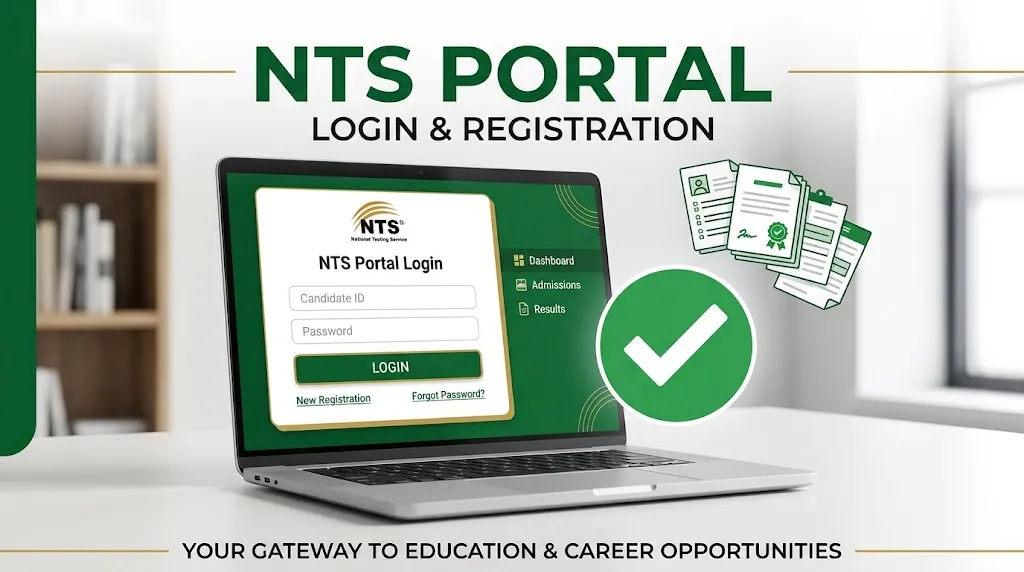
The NTS Portal Login 2026 is an online facility for candidates who want to apply for jobs, admissions, and tests conducted through the National Testing Service (NTS) in Pakistan. Through the candidate portal, users can create an account, complete their personal profile, apply for available opportunities, and manage their applications.
Candidates who have already registered can sign in using their CNIC or passport number and password. New users need to create an account before applying for an available project.
After submitting an application, candidates should regularly check their accounts and official NTS announcements for application status, eligible candidate lists, roll number slips, test schedules, results, and interview updates.
Read Also : NTS Pharmacy Technician Result 2026 Online Check
NTS Portal Login 2026 for Candidates
The NTS candidate portal allows registered users to access their accounts and manage their applications online. Before logging in, make sure you have the correct identification number and password.
Follow these steps to access your account:
- Open the official NTS Candidate Portal.
- Enter your CNIC or passport number in the Login ID field.
- Type your registered password.
- Review your information to avoid typing mistakes.
- Click the Login button.
- Open your dashboard to review your profile and available applications.
Once logged in, check whether your profile is complete before applying for a job or test. Some projects may require additional information or documents.
How to Create an NTS Portal Account in 2026
Candidates who have never used the NTS portal should complete the registration process first. Registration is generally completed once, allowing candidates to use the same account for eligible future projects.
Follow these steps to create a new account:
- Open the NTS Candidate Portal registration page.
- Select the Sign Up option.
- Enter your first name and last name.
- Select your nationality.
- Enter your CNIC, B-Form, or passport information as applicable.
- Provide your mobile number.
- Enter your email address.
- Create a strong password.
- Confirm your password.
- Read and accept the terms and conditions.
- Submit the registration form.
After registration, sign in to your account and complete your candidate profile.
Important: Enter your personal information carefully. The registration instructions state that the CNIC, phone number, and email address cannot be changed after registration. If you are unsure about any field, review the portal’s instructions before submitting your details.
Read Also : NTS Result 2026 By CNIC – Check Online by Roll Number and Name
Important Information About NTS Portal Login
The following table summarises the main features candidates may need when using the portal.
| Portal Feature | Purpose |
|---|---|
| Candidate Login | Access an existing account |
| New Registration | Create an account for first-time users |
| Profile Management | Add or review personal and educational information |
| Open Applications | Find available jobs, tests, and other projects |
| Application Form | Submit information for a selected project |
| Fee Payment | Complete the required payment process, where applicable |
| Roll Number Slip | Access the slip when it is made available |
| Candidate Lists | Check eligibility or provisional lists when published |
| Results and Interviews | Follow announcements for the relevant project |
| Forgot Password | Recover access to an existing account |
The available features and requirements may differ depending on the project and the current portal process.
How to Complete Your NTS Candidate Profile
After creating an account, candidates should complete their profiles before applying for an available opportunity. Missing or incorrect information can create problems during application processing.
Depending on the requirements, the profile may ask for the following details:
- Personal information
- CNIC or other identification details
- Recent profile photograph
- Mobile number and email address
- Residential and postal address
- Educational qualifications
- Employment history, where applicable
- Other information requested for a particular project
Make sure your name and other personal details match your original documents. Enter your educational qualifications accurately and provide a valid postal address.
Before leaving the profile section, review all entered information and save any changes if the portal provides that option.
Read Also : PPSC Child Psychologist Written Test Result 2026 Announced for BS-17 Posts
How to Apply for NTS Jobs After Login
Creating an account does not automatically submit a job application. Candidates must apply separately for each relevant project listed on the portal.
Here is the general application procedure:
- Sign in to your NTS account.
- Open the available applications or projects section.
- Find the job or test that matches your qualifications.
- Read the advertisement and eligibility criteria carefully.
- Select the relevant post, if more than one option is available.
- Choose your preferred test city if the project offers this facility.
- Complete any additional fields required by the application.
- Review your personal and educational information.
- Submit the application according to the portal’s instructions.
- Pay the prescribed fee if required.
- Save the application confirmation and payment record.
Always check the closing date before applying. An incomplete application or unpaid fee may affect your application if payment is required under the project’s rules.
Candidates should also check whether a particular advertisement requires a separate application form, supporting documents, or additional submission steps.
How to Check NTS Application Status
After applying, candidates should monitor their application progress through the relevant portal or project information page.
The status and available information depend on the specific recruitment or testing project.
| What to Check | Why It Matters |
|---|---|
| Application submission | Confirms whether the form was submitted |
| Fee payment | Helps confirm completion of the required payment process |
| Provisional or eligible list | Shows candidate information published for the relevant stage |
| Roll number slip | Provides details needed for the test, when issued |
| Test schedule | Helps candidates prepare for the announced date |
| Result announcement | Provides access to published test results |
| Interview list | Shows further recruitment information, where applicable |
If your name does not appear on a published list, read the relevant notice carefully. Check the eligibility criteria, application details, and any instructions regarding objections or corrections.
Do not assume that every application follows the same schedule. Different NTS projects can have separate timelines and announcement procedures.
NTS Roll Number Slip 2026: How to Check
A roll number slip is an important document for candidates appearing in an NTS test. It may contain the candidate’s identification details, roll number, test date, reporting time, venue, and other instructions.
To check your roll number slip:
- Visit the official NTS website or relevant candidate portal.
- Find the section for the applicable test or project.
- Look for the written-test roll number slip option.
- Enter the required information if requested.
- Open or download the slip when it becomes available.
- Review the test date, venue, and reporting instructions.
NTS may also notify candidates through SMS for certain tests. However, candidates should not rely only on text messages. Check the official announcement and roll number slip to confirm the test arrangements.
If your slip is unavailable, first confirm that it has been issued for your particular test. If the announced date has passed or your information appears incorrect, follow the official instructions for assistance.
Read Also : What Is Read Infos? A Complete Guide to Understanding Read Infos
How to Recover a Forgotten NTS Portal Password
Candidates who forget their passwords should use the portal’s password recovery facility rather than creating another account.
Follow these steps:
- Open the NTS candidate login page.
- Select Forgot Password.
- Enter the identification and email information requested by the portal.
- Submit the recovery request.
- Follow the instructions provided for resetting your password.
- Sign in again using the updated password.
If the recovery process does not work, check that you entered the same identification details and email address used during registration.
Also check your email’s spam or junk folder if the portal sends a recovery message. Never share your password or verification codes with anyone claiming to recover your account on your behalf.
Why Is NTS Portal Login Not Working?
Login problems can occur for several reasons, including incorrect credentials, forgotten passwords, or temporary technical issues.
Use the following table to identify possible solutions.
| Problem | What You Can Try |
|---|---|
| Incorrect CNIC or passport number | Check the number and enter it in the required format |
| Password not accepted | Re-enter it carefully or use Forgot Password |
| Account not recognised | Confirm that you registered with the same identification details |
| Registration unsuccessful | Check for missing fields or error messages |
| Page not loading | Check your internet connection and try again later |
| Recovery email not received | Review your email address and spam folder |
| Profile information incomplete | Sign in and complete the required profile fields |
| Application not appearing | Check whether the project is open and whether you are using the correct account |
Avoid creating multiple accounts to solve a login problem. If your existing account remains inaccessible, follow the official NTS support procedure.
How to Check NTS Candidate Lists and Results
NTS publishes recruitment and testing information according to the schedule of each project. Depending on the test, candidates may find provisional lists, written-test roll number slips, physical-test lists, interview lists, and result announcements.
To check the relevant information:
- Open the official NTS website.
- Find the section related to your test or recruitment project.
- Select the relevant announcement.
- Read the eligibility criteria and instructions.
- Search for your name or identification details if the published format permits it.
- Follow the next steps mentioned in the notice.
Some recruitment projects may include multiple stages, such as written tests, physical assessments, or interviews. Not every project uses all these stages.
Candidates should also check announcement dates carefully to avoid confusing an old list with a current one.
Important Instructions for New NTS Candidates
Before applying for any NTS project, keep the following points in mind:
- Register using your own correct identification details.
- Use an active mobile number and email address.
- Complete your candidate profile accurately.
- Read the full advertisement before submitting an application.
- Check the required qualifications and age limits.
- Review the application deadline.
- Pay the fee through the approved method, where required.
- Keep your application confirmation and payment record.
- Check official announcements for roll number slips and results.
- Avoid sharing account passwords or verification codes.
These simple precautions can help candidates avoid common application mistakes and stay informed throughout the testing or recruitment process.
Read Also : What Is Readinfos? A Simple Guide to Understanding Readinfos
Frequently Asked Questions
How do I log in to the NTS Portal in 2026?
Open the NTS Candidate Portal, enter your registered CNIC or passport number and password, and select Login. After signing in, open your dashboard to review your profile and applications.
How can a new candidate register on the NTS portal?
Select Sign Up on the candidate portal, enter the requested personal and identification details, provide your contact information, create a password, accept the terms, and submit the form.
Can I use one NTS account for multiple jobs?
Candidates can generally use their registered account to apply for different eligible projects available through the portal. However, each application must be submitted separately according to its advertisement and requirements.
What should I do if I forget my NTS password?
Use the Forgot Password option on the login page and follow the recovery instructions. You should not create a second account simply because you cannot remember your password.
When will the NTS roll number slip be available?
The release date depends on the relevant test or recruitment project. Check the official announcement and candidate portal for the latest information.
Why is my NTS application not showing?
Possible reasons include an incomplete submission, a project that is no longer open, or an account mismatch. Check your dashboard, application confirmation, and the relevant project announcement.
How can I check my NTS test result?
Visit the official NTS website and locate the result information for your particular test. Follow the instructions provided for accessing the published result.
Can I change my CNIC, phone number, or email after registration?
The registration instructions state that these details cannot be changed after registration. Enter them carefully when creating your account. If you have already registered with incorrect information, contact the official support channel for guidance rather than creating another account.
Final Words
The NTS Portal Login 2026 helps candidates manage applications for eligible jobs, admissions, and tests through a single registered account. New users should complete registration and their candidate profile carefully, while existing users should keep their login information secure.
After applying, regularly check the relevant project announcements for application updates, provisional lists, roll number slips, test schedules, results, and interview information.
The most important steps are to enter accurate information, meet the advertised requirements, complete any required payment, and follow official instructions throughout the process. Staying organised can help you avoid common mistakes and prepare for the next stage of your NTS application.






1 thought on “NTS Portal Login 2026: Registration, Jobs & Roll Number Slip Updates”