
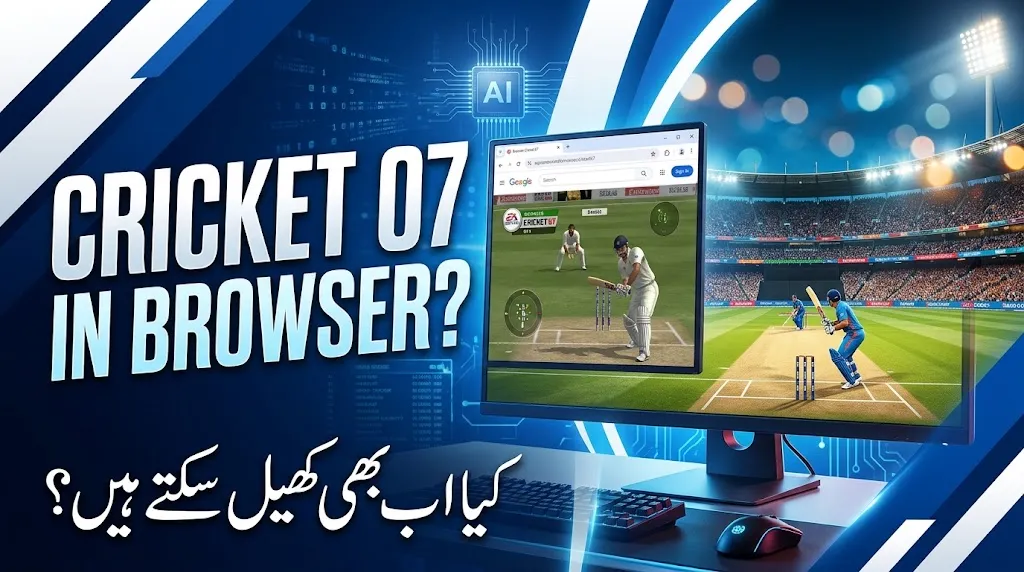
Cricket 07 is still a favorite among cricket gaming fans who enjoy classic batting, bowling, and tournament gameplay. Although the game was released in 2006, many players continue to look for ways to enjoy it on modern computers and other devices.
One common question is whether you can play Cricket 07 directly in a web browser without downloading or installing anything.
The answer depends on what you want to play. The original Cricket 07 was designed for PC and PlayStation 2, not as a native browser game. However, you can explore browser-based cricket games or consider remote streaming if you already have a compatible computer and a legitimate copy of the original game.
This guide explains the available options, how they differ, and what to check before playing.
Read Also : How to Detect AI-Generated Images and Videos in 2026
Can You Play Cricket 07 Directly in a Browser?
No, the original Cricket 07 does not natively run in a standard web browser.
Developed by HB Studios and published by EA Sports, Cricket 07 was created for supported gaming platforms rather than modern browser technology.
This means you should be careful when a website claims to offer the complete, official Cricket 07 experience with a single click. The website may provide a different cricket game, an unofficial version, or a download that has not been verified.
There are three main options to consider:
| Playing method | Requires installation? | Original Cricket 07? |
|---|---|---|
| Browser-based cricket game | Usually no | No, unless specifically verified |
| Original PC version | Yes | Yes, with a legitimate compatible copy |
| Remote game streaming | Usually requires setup | Potentially, if your own PC runs the game |
Your best option depends on whether you value convenience or want the original game’s classic gameplay.
How to Play Cricket Games in a Browser
If you want to play cricket without installing a large game, a browser-based alternative is usually the easiest choice.
Step 1: Choose a Browser Cricket Game
Open an updated browser such as Chrome, Firefox, or Microsoft Edge. Look for cricket games designed to run directly on websites.
Many browser cricket games use HTML5 technology, allowing them to run without a traditional desktop installation.
Depending on the game, you may find:
- Batting challenges and boundary-hitting contests.
- Basic bowling controls.
- Short matches with simple rules.
- Tournament or multiplayer features.
- Keyboard, mouse, or touchscreen controls.
These games may be suitable for casual cricket fans, but their graphics and gameplay may differ significantly from Cricket 07.
Step 2: Check the Website Before Playing
Before opening a game, check that the website appears trustworthy. Avoid suspicious advertisements, unexpected downloads, and pages that ask you to install unknown browser extensions.
You should also review the site’s privacy information if it requests personal details or account registration.
A game that runs in a browser should not normally require you to download a mysterious executable file just to start playing.
Step 3: Learn the Controls
Browser cricket games often use simple controls. Some use keyboard keys, while others let you click or tap the screen to select a shot.
Read the game’s instructions before starting a match. Practising in a short batting session can help you understand timing and shot selection.
Keep in mind that controls vary between games, so do not assume that every browser cricket title works the same way.
Read Also : NTS Portal Login 2026: Registration, Jobs & Roll Number Slip Updates
How to Play the Original Cricket 07 on a PC
If you want the classic experience rather than a browser alternative, the original PC version is the more direct option.
Follow these general steps:
- Obtain a legitimate copy of Cricket 07.
- Check whether your computer and operating system can run it.
- Install the game using the instructions provided with your copy.
- If the game has compatibility problems, investigate the appropriate Windows compatibility settings.
- Start the game and configure the keyboard or controller.
- Play a practice match before entering a tournament.
Because Cricket 07 is an older game, performance and compatibility may vary on modern systems. Some users may need to troubleshoot display settings or other compatibility issues.
This method does require installation, so it is not a way to play the original game directly in a browser.
Can You Play Cricket 07 Through Remote Streaming?
Remote game streaming may be an option if you want to access a game running on your own computer from another device.
In a typical setup, your PC runs the game and sends its video and audio to a supported client. You then control the game remotely.
However, there are a few things to understand:
- You need a computer capable of running Cricket 07.
- The remote-access or streaming software must support your intended devices.
- Browser access depends on the software and its current capabilities.
- A stable network connection can improve responsiveness.
- You may experience input delay, particularly with a weak connection.
Remote streaming does not turn Cricket 07 into a native browser game. It simply lets you interact with a game running elsewhere.
Before choosing a streaming service, check its current device support, security settings, and setup requirements.
Best Alternatives to Cricket 07 for Browser Gaming
If you do not want to install an older PC game, several types of cricket games may suit your needs.
| Game type | Best for | What to expect |
|---|---|---|
| HTML5 cricket games | Quick browser sessions | Simple controls and short matches |
| Mobile cricket games | Playing on a smartphone | Touch controls and mobile-focused features |
| Modern PC cricket games | Players seeking a deeper simulation | Features and graphics depend on the title |
| Remote-streamed PC games | Accessing a game from another device | Requires compatible hardware and a suitable setup |
When choosing an alternative, look at gameplay videos, supported devices, system requirements, and user feedback. Check whether the game includes your preferred formats, such as limited-overs matches or tournaments.
Do not assume that a game is identical to Cricket 07 just because its name, screenshots, or advertisements suggest a similar experience.
Read Also : CM E-Bike Scheme 2026 Status Check by CNIC: Verification, Objections and Latest Updates
Tips for a Smoother Browser Cricket Experience
A few simple steps can help browser games run more smoothly.
Use an Updated Browser
Install the latest supported version of your browser. Updates can improve security, performance, and compatibility with modern web games.
Close Unnecessary Tabs
Opening many tabs or running demanding applications can use system memory. Closing applications you do not need may improve performance on less powerful computers.
Check Your Internet Connection
A stable connection is useful for online multiplayer games and remote streaming. If a game loads slowly, check your connection before assuming that your device is the problem.
Check Device Compatibility
Some browser games work well on desktop computers but have limited touchscreen support. Others are designed primarily for phones. Check the game’s supported devices before spending time setting it up.
Avoid Suspicious Downloads
Do not install unknown files or extensions.




6 thoughts on “How to Play Cricket 07 on PC: Browser Options and Alternatives”