
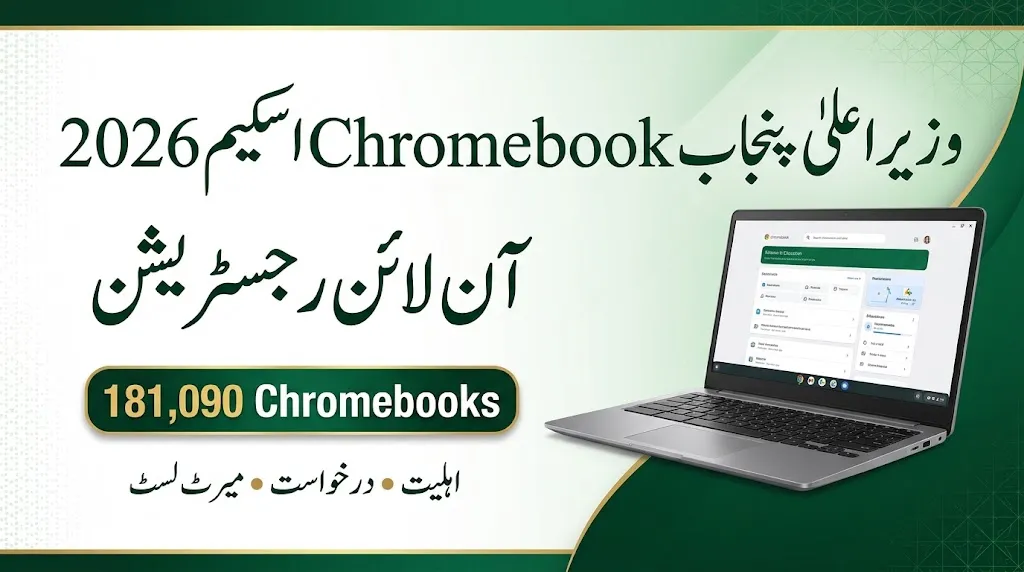
The CM Punjab Chromebook Scheme 2026 is an important opportunity for students seeking access to digital learning devices. According to the scheme details provided, Punjab has been allocated 181,090 Chromebooks out of a nationwide target of 500,000 devices under the Chief Minister Youth Chromebook Scheme.
The programme is intended to help eligible students access digital educational resources and develop computer skills. Registration information indicates that eligible students can check their academic records through the designated IBCC registration portal.
Students should understand the eligibility requirements, prepare their documents and check their board records before submitting an application. Registration alone does not guarantee selection, as devices are distributed according to the approved merit criteria and provincial allocation.
Read Also : How to Detect AI-Generated Images and Videos in 2026
CM Punjab Chromebook Scheme 2026: Key Details
The following table summarises the main information available about the programme.
| Scheme Detail | Information |
|---|---|
| Scheme Name | Chief Minister Youth Chromebook Scheme 2026 |
| Punjab Allocation | 181,090 Chromebooks |
| Nationwide Target | 500,000 devices |
| Announced Launch Date | 25 October 2026 |
| Main Student Category | Eligible Grade 9 students |
| Examination Session | Annual Examinations 2026 |
| Eligible Institutions | Government/public schools and eligible seminaries |
| Registration Method | Online record verification and application |
| Application Fee | Free, according to the provided scheme details |
| Distribution Method | Courier delivery to selected students’ homes |
| Posted By | read-infos.com |
Important: Students should confirm the current registration status, eligibility rules and submission deadline through official scheme announcements before applying.
What Is the CM Punjab Chromebook Scheme 2026?
The CM Punjab Chromebook Scheme 2026 is described as part of a nationwide student device programme designed to improve access to technology in education.
A Chromebook is a laptop that uses Google’s ChromeOS operating system. Students can use compatible devices for online lessons, educational websites, document preparation, research and other learning activities.
The scheme’s reported allocation gives Punjab 181,090 devices, making it the province with the largest share of the nationwide target. However, this allocation does not mean that every student in Punjab will receive a device. Selection depends on the applicable eligibility rules, academic merit, board records and the number of devices available.
Students should also distinguish between being eligible to apply and being selected for a Chromebook. Both the academic record and the registration process matter.
Punjab Chromebook Scheme 2026: Quota Distribution
According to the supplied scheme information, Punjab’s allocation is divided between school students and seminary students.
| Student Category | Share | Approximate Number of Chromebooks |
|---|---|---|
| Government school students | 80% | 144,872 |
| Seminary students | 20% | 36,218 |
| Total Punjab allocation | 100% | 181,090 |
The figures above are calculated from the reported provincial allocation and should be treated as approximate until confirmed by the official distribution notification.
The school-student share is further described as follows:
| School Group | Share of School Allocation | Approximate Devices |
|---|---|---|
| Science group | 70% | 101,410 |
| Arts group | 30% | 43,462 |
| Total school allocation | 100% | 144,872 |
These figures are estimates based on the stated percentages. Final allocations may depend on the official rules and board-wise merit lists.
Read Also : Punjab Special Education Department Jobs 2026 – Apply Online for 11 Vacancies
Who Is Eligible for the Punjab Chromebook Scheme 2026?
Based on the supplied eligibility information, the programme primarily covers high-performing Grade 9 students from eligible government/public schools who appeared in the Annual Examinations 2026.
Eligible seminary students may also be considered under the separate allocation described for religious educational institutions.
Students should check the following conditions before attempting registration:
- You appeared in the relevant Grade 9 annual examinations in 2026.
- Your academic record is included in the eligible list submitted by your education board.
- Your school or institution falls within the approved eligibility criteria.
- Your personal details match the information held by the relevant board.
- You can provide the required identity and academic documents.
- You complete the registration process according to the official instructions.
Meeting these conditions may allow you to be considered, but it does not guarantee selection.
Punjab Boards Covered by the Scheme
The supplied information identifies the following nine Punjab Boards of Intermediate and Secondary Education (BISE).
| Punjab Education Board | Students to Check |
|---|---|
| BISE Lahore | Eligible Grade 9 candidates |
| BISE Gujranwala | Eligible Grade 9 candidates |
| BISE Rawalpindi | Eligible Grade 9 candidates |
| BISE Faisalabad | Eligible Grade 9 candidates |
| BISE Multan | Eligible Grade 9 candidates |
| BISE Sargodha | Eligible Grade 9 candidates |
| BISE Sahiwal | Eligible Grade 9 candidates |
| BISE Bahawalpur | Eligible Grade 9 candidates |
| BISE Dera Ghazi Khan | Eligible Grade 9 candidates |
Students should select the board responsible for their examination record rather than choosing a board based only on their current location.
Can Private School Students Apply?
According to the eligibility criteria supplied for this article, private-school students are not included in the currently described school-student category.
Students attending private institutions should not assume that they qualify simply because they appeared in the same board examinations. They should check the official eligibility notification for any subsequent changes or additional categories.
Documents Required for CM Punjab Chromebook Registration
Students should prepare their documents before opening the application form. The supplied instructions specify that each uploaded file must be smaller than 300 KB.
| Required Document | What to Check |
|---|---|
| Recent colour photograph | The image should be clear and recent |
| Grade 9 marks sheet | The examination details should be readable |
| B-Form or CNIC | The identity document should be valid and legible |
| Parent or guardian’s CNIC | The required details should be clear and complete |
Before uploading, check that the files open correctly and that the information is easy to read. If the portal specifies a file format or additional requirements, follow those instructions.
Students should never upload another person’s identity document in place of their own required record. If a document contains incorrect information, contact the relevant school or board for guidance before submitting the form.
How to Apply Online for the CM Punjab Chromebook Scheme 2026
The registration process described in the supplied information involves finding your board record, checking the displayed details and uploading the required documents.
Step 1: Open the Registration Portal
Visit the designated IBCC registration portal at pmychromebooks.ibcc.edu.pk, provided that it is currently active and officially confirmed for the scheme.
Check that you are using the correct website before entering personal information.
Step 2: Select Your Punjab Board
Choose the board under which you appeared in the Grade 9 Annual Examinations 2026.
The listed options include Lahore, Gujranwala, Rawalpindi, Faisalabad, Multan, Sargodha, Sahiwal, Bahawalpur and Dera Ghazi Khan.
Step 3: Enter Your Examination or Identity Details
Enter the requested information, such as your B-Form/CNIC number, roll number or registration number, along with your date of birth if required.
If the form instructs you to enter digits only, remove spaces, hyphens and other characters.
Check each entry carefully before searching for your record.
Step 4: Find and Verify Your Record
Use the portal’s record-search option to retrieve your information.
If your record appears, review your name, school, examination details and marks. Do not continue if important information is incorrect.
Your academic record should match the information maintained by your education board.
Step 5: Upload the Required Documents
Upload your photograph, marks sheet and identity documents according to the portal’s instructions.
Make sure every file meets the stated size limit. If a document is unclear or incomplete, prepare a readable replacement before proceeding.
Step 6: Review and Submit Your Application
Read the displayed information one final time before submission.
The supplied instructions state that applications cannot be edited after submission and that each student may apply only once. For this reason, do not submit a form containing incorrect personal details or documents.
Step 7: Save Your Reference Slip
After submitting the application, save the confirmation page or reference slip and note the reference number.
Keep a copy for future tracking, verification or complaints. A successful submission confirms that your application has been recorded; it does not necessarily mean that you have been selected.
Read Also : How to File a Complaint in NCCIA Pakistan?
CM Punjab Chromebook Scheme 2026: Record Not Found Problem
Some students may encounter a “Record Not Found” message while trying to register. This message does not, by itself, establish that a student has been rejected.
The problem may be related to incorrect information, an incomplete board record or a delay in transferring academic data to the registration system.
Here are practical steps to follow.
1. Check Your Entered Information
Review your roll number, registration number, B-Form/CNIC details and date of birth. Even a small typing mistake may prevent the portal from finding your record.
2. Try Another Permitted Identifier
If the portal allows more than one search method, try your examination roll number or registration number instead of your identity number.
Use only the options officially provided on the portal.
3. Check Your Board’s Eligible List
If your board has published a list of eligible students, check whether your name and examination details appear on it.
A published list and the registration portal may not always display updated information at the same time.
4. Contact Your School or Board Office
If your name appears on an official list but the portal still cannot find your record, contact your school administration or the relevant BISE office.
Provide your examination details and explain the issue. The responsible authority can advise whether your record needs verification, correction or uploading.
5. Try Again After a Reasonable Interval
If the authorities confirm that records are being uploaded in batches, try again after the interval they recommend. The supplied information suggests waiting two to three days, but this should not be treated as a universal official deadline.
Safety reminder: Do not pay an agent who promises to insert your name into the merit list or guarantee a Chromebook. Use authorised channels and keep your personal documents secure.
How Will Punjab Students Receive Their Chromebooks?
According to the supplied scheme information, selected students’ devices are expected to be linked to their records and dispatched by courier to their home addresses.
The described process includes several stages:
- Education boards prepare and submit eligible student records.
- The relevant authorities verify the information.
- Merit lists are finalised according to the approved criteria.
- Devices are assigned to selected students.
- Distribution takes place in phases, with delivery timing varying by area and administrative arrangements.
Students should keep their contact and delivery details accurate. They should also retain their registration reference slip in case they need to follow up.
The reported programme is intended to operate over two years, so all selected students should not necessarily expect delivery at the same time. The actual dispatch schedule should be confirmed through official announcements.
If a student believes their merit position has been overlooked or their record is missing, they should contact the relevant board or authorised grievance channel.
Is There a Last Date to Apply for the Punjab Chromebook Scheme?
A confirmed final date for all Punjab boards has not been established by the information supplied for this article.
The supplied details suggest that registration and merit processing may follow board-specific schedules. Students should therefore avoid relying on an unverified date circulated through social media or unofficial websites.
The safest approach is to check the current registration notice, verify that your record is available and complete the application promptly once you have confirmed your eligibility.
If the portal publishes a closing date or the relevant board issues a deadline, follow that official notice.
Is the CM Punjab Chromebook Scheme Free?
According to the supplied scheme information, registration and the Chromebook are free for eligible students.
Students should be cautious if someone requests money for registration, merit-list inclusion, application approval or guaranteed delivery. Do not share passwords, verification codes or unnecessary personal information with unofficial agents.
If you are unsure whether a request is legitimate, confirm it with the relevant school, board or scheme authority before taking action.
Benefits of the Chromebook Scheme for Students
Access to a suitable digital device can make educational resources easier to use, particularly for students who do not have a personal computer at home.
Potential benefits include:
- Digital learning: Accessing online lessons, educational material and study resources.
- Research skills: Finding and organising information for school assignments.
- Document preparation: Creating notes, presentations and written work using compatible applications.
- Computer literacy: Becoming more familiar with digital tools used in further education.
- Independent study: Reviewing learning material outside classroom hours.
These are general benefits of having access to a Chromebook, not a guarantee of specific educational outcomes. The actual value of a device also depends on internet availability, suitable learning resources and how students use it.
Read Also : 8171 Web Portal 2026: Check BISP Payment by CNIC – Latest Update
CM Punjab Chromebook Scheme 2026: Frequently Asked Questions
How many Chromebooks have been allocated to Punjab?
The supplied scheme information reports an allocation of 181,090 Chromebooks for Punjab out of a nationwide target of 500,000 devices.
Which students can apply for the Punjab Chromebook Scheme?
The described school-student category covers eligible high-performing Grade 9 students from government/public schools based on the Annual Examinations 2026. Eligible seminary students are also described as a separate category.
Are private-school students eligible?
According to the supplied eligibility details, private-school students are not included in the currently described school-student category. Students should confirm the final rules through an official notification.
How can I register for the scheme?
Use the designated registration portal, select your education board, search for your academic record, verify the information, upload the required documents and submit the application if you meet the official conditions.
What is the maximum document size?
The supplied instructions specify that each uploaded file must be smaller than 300 KB. Follow any additional format requirements shown on the official portal.
What should I do if my record is not found?
Check your details, try another permitted identifier, review your board’s eligible list and contact your school or board if the problem continues. A missing record does not automatically prove rejection.
Can I edit my application after submission?
The supplied instructions state that submitted applications cannot be edited. Review all details carefully before submitting and contact the relevant authority if you discover an error.
Is there any registration fee?
The supplied scheme information states that registration and the device are free for eligible students. Do not pay unofficial agents for guaranteed selection.
How will I know whether I have been selected?
Keep your reference slip and monitor the official portal and relevant board announcements for merit-list or selection updates. Application submission alone does not confirm selection.
Will all selected students receive their devices on the same date?
Not necessarily. The supplied information describes distribution in phases over the programme’s two-year period. Actual delivery dates may differ by board, district and administrative schedule.
Final Words
The CM Punjab Chromebook Scheme 2026 could provide eligible students with a useful opportunity to access digital learning resources. The reported allocation of 181,090 Chromebooks makes Punjab a major part of the nationwide programme.
Students should first confirm their eligibility, check their Grade 9 examination record, prepare the required documents and follow the official registration instructions. Carefully reviewing the application before submission can help avoid preventable errors.
Keep your reference slip safe, check official updates for merit lists and delivery information, and avoid anyone demanding money in exchange for guaranteed selection.
Editorial note: The quota, launch date, eligibility rules, portal status and distribution arrangements in this article are based on the information supplied for drafting and should be independently verified before publication. Update this article if the relevant authorities issue revised instructions.


1 thought on “CM Punjab Chromebook Scheme 2026: Online Registration, Eligibility and Apply Guide”