
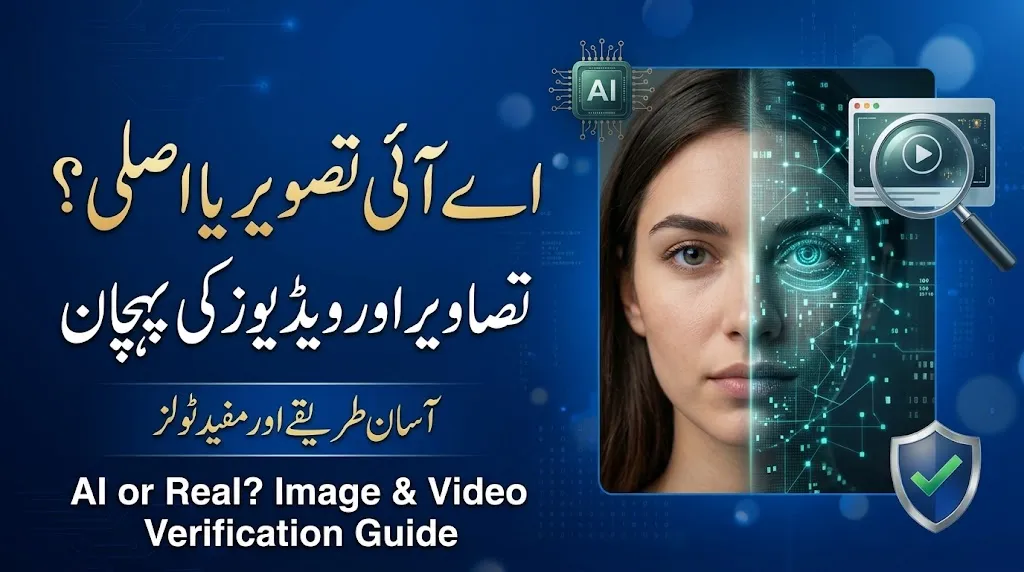
Artificial intelligence is making it easier than ever to create realistic images, videos, and human voices. A picture may look like a real photograph, while a video may show someone saying something they never said. These changes make it harder to separate genuine content from AI-generated media.
Learning how to detect AI-generated images and videos is now an important digital skill. It can help students, journalists, bloggers, content creators, and everyday internet users avoid misinformation and misleading online posts.
The good news is that you do not need advanced technical knowledge to start checking suspicious media. By examining visual details, using detection tools, searching for the original source, and checking reliable information, you can make a more informed judgment.
Read Also : CM E-Bike Scheme 2026 Status Check by CNIC: Verification, Objections and Latest Updates
What Are AI-Generated Images and Videos?
AI-generated images and videos are created fully or partly with artificial intelligence. These systems can produce pictures of people who do not exist, imaginary locations, realistic-looking events, and videos featuring artificial faces or voices.
For example, someone could create a picture showing a fictional person standing beside a famous building. Another person could use AI to make a public figure appear to deliver a speech they never gave.
However, AI-generated content is not always misleading. It is widely used for education, entertainment, advertising, graphic design, and creative projects. The main concern is whether content is presented honestly or used to spread false information.
How to Check Whether an Image Is AI-Generated
Before using an AI detection tool, examine the image carefully. Small details may reveal inconsistencies, although modern AI systems can create highly realistic pictures.
1. Examine Hands, Faces, and Backgrounds
Look closely at the details that are easy to overlook when viewing an image quickly.
- Hands and fingers: Check whether fingers have unusual shapes, lengths, or positions.
- Eyes and teeth: Look for inconsistent reflections, unnatural details, or distorted features.
- Text in the image: Examine signs, labels, logos, and other writing for strange letters or incorrect spelling.
- Lighting and shadows: Check whether shadows match the apparent light source.
- Background objects: Look for furniture, buildings, or other objects that appear merged or physically impossible.
- Repeated patterns: Notice whether similar objects have identical details in places where variation would normally be expected.
These clues can help identify suspicious images, but none is conclusive. Real photographs may contain visual distortions because of motion blur, editing, poor lighting, or camera limitations.
2. Use AI Image Detection Tools
AI image detectors analyze patterns in a file and estimate whether it may have been generated by an AI system. Different services use different methods, so their results may not always agree.
Here are some services worth exploring:
| Tool | Main purpose | What to remember |
|---|---|---|
| Hive Moderation | AI-generated content detection | Check current image support and access requirements |
| Sightengine | Automated image and media analysis | Review which detection features are currently available |
| WasItAI | Checking whether an image may be AI-generated | Confirm current limits and supported formats |
To use a detector, open the provider’s official service, upload an image if supported, and review the result. Some services may require an account or limit the number of free checks.
Important: A detection score is an estimate, not proof. Different tools may give different results for the same picture. Use their findings alongside other evidence.
Read Also : What Is Read Infos? A Complete Guide to Understanding Read Infos
How to Detect AI-Generated Videos
Videos can be more difficult to verify than still images because they include movement, facial expressions, sound, and changes between frames.
1. Watch the Face and Lip Movements
Deepfake videos may show inconsistencies around the mouth, eyes, or edges of a person’s face. Watch the video more than once, especially when the person speaks or turns their head.
Look for:
- Lip movements that do not match the spoken words.
- Facial features that change shape between frames.
- Blurred edges around the face during movement.
- Unnatural expressions or inconsistent eye movements.
- Skin texture or lighting that changes unexpectedly.
These signs are not reliable on their own. Low-quality recordings, video compression, poor lighting, and editing can cause similar problems.
2. Listen for Unusual Audio
AI-generated voices can sound natural, making them difficult to identify by listening alone. Still, unusual audio details may provide reasons to investigate further.
Pay attention to speech that sounds unusually flat, strange pauses, inconsistent background noise, or a mismatch between spoken words and visible lip movements.
However, a real recording can also have poor audio. Do not conclude that a video is fake just because a voice sounds unusual.
If a public figure appears to make a surprising or controversial statement, search for the original recording and check whether reputable news organizations or the person’s verified channels have published it.
3. Try Video and Deepfake Detection Services
Some services offer tools for examining videos or identifying possible synthetic media.
| Tool | What it may help with | Important note |
|---|---|---|
| Deepware Scanner | Deepfake video analysis | Check current availability and supported inputs |
| Hive Moderation | AI-content detection workflows | Video capabilities may depend on the service or plan |
| Reality Defender | Synthetic media detection | Access and supported formats may vary by product |
Before uploading a video, review the provider’s current instructions, privacy policy, and file requirements. Some services are designed for businesses rather than casual users.
A detector’s result should be treated as one piece of evidence, not a final verdict about the video’s authenticity.
How to Verify Images and Videos Without AI Tools
You can investigate many suspicious images and videos using simple verification methods. These approaches are especially useful when a post claims to show breaking news, a public event, or a surprising statement.
Use Reverse Image Search
Reverse image search can help you find similar pictures and discover where an image appeared previously.
You can use Google Lens or TinEye to search for matching or visually similar images. For a video, take a clear screenshot of an important frame and search that image.
For example, a picture shared as a recent photograph of a natural disaster might actually come from an older event in another country. Finding the original image can reveal that the caption is misleading.
Keep in mind that reverse image search does not directly prove whether an image was created by AI. It helps investigate its history and context.
Check the Original Source
Before believing a viral picture or video, ask a few basic questions:
- Who first published the content?
- Is the original creator or account identifiable?
- When was it first shared?
- Do reliable sources report the same event?
- Is the caption consistent with the original recording?
- Are there other photographs, videos, or independent accounts of the event?
If a video makes a serious claim, look for a complete recording rather than relying on a short, edited clip. A genuine video can still be misleading when it is taken out of context.
Look for Content Credentials
Some digital files contain provenance information that records details about their origin or editing history. One example is the C2PA standard, which supports Content Credentials.
When available and valid, these records may help explain how a file was created or modified. However, not every image or video includes this information. Credentials may also be removed when files are edited, converted, or shared through certain platforms.
The absence of Content Credentials does not automatically mean a file is fake. Similarly, provenance information should be checked carefully rather than treated as unquestionable proof.
Read Also : What Is Readinfos? A Simple Guide to Understanding Readinfos
AI Detection vs. Manual Verification
Both detection tools and manual investigation have advantages. Combining them can provide a clearer picture than relying on either method alone.
| Verification method | Main benefit | Main limitation |
|---|---|---|
| Visual inspection | Quick and easy to perform | Modern AI can produce convincing details |
| AI detection tools | Analyze patterns that may not be obvious | Results can be incorrect |
| Reverse image search | Helps trace earlier appearances | May not find the original source |
| Source verification | Checks who published the content and why | Original sources may be difficult to identify |
| Content Credentials | May provide information about origin and editing | Not available in every file |
The best method depends on the content and the importance of the claim. A casual social media image may need only a quick check, while a video used as evidence for a serious allegation requires much stronger verification.
Are AI Image and Video Detectors 100% Accurate?
No. No single detection method can reliably identify every AI-generated image or video.
Results can vary depending on the AI model, the file’s quality, editing, compression, and the detection system being used. A detector may label a genuine photograph as AI-generated or fail to recognize synthetic content.
Images that have been cropped, resized, filtered, or heavily compressed can also be more difficult to analyze. In addition, some real photographs are edited using AI tools without being entirely AI-generated.
For these reasons, avoid describing a person or piece of content as fake based on a single detection score. Look for several independent clues and consider the available evidence before reaching a conclusion.
Common Mistakes to Avoid When Checking AI Media
Small mistakes can lead to incorrect judgments. Keep these points in mind when investigating suspicious content.
- Trusting only one detector: Compare results with other evidence.
- Assuming every visual error means AI: Real cameras and editing software can also produce unusual details.
- Believing a realistic image is genuine: Modern AI can generate convincing faces, objects, and environments.
- Ignoring the caption: A real image can be paired with a false date, location, or description.
- Sharing before verifying: Pause before spreading content that could mislead people or damage someone’s reputation.
- Uploading sensitive files without checking privacy: Review the service’s data-handling policy before submitting private photographs or videos.
Frequently Asked Questions
Can I detect an AI-generated image for free?
Yes. Some online services offer free checks or limited free access. Reverse image search and careful visual inspection are also useful starting points. Availability and free usage limits can change.
Can AI detectors identify every deepfake video?
No. Detection systems have limitations, and their performance varies with video quality, editing, and the type of synthetic content. A detector’s result should be combined with source verification and other evidence.
Does a strange face or extra finger prove that an image is AI-generated?
No. Unusual details can be a warning sign, but camera problems, editing, compression, and image distortion may cause similar effects.
Read Also : NTS Result Card 2026 Download by CNIC PDF
How can I check whether a viral video is real?
Look for the original upload, compare the claim with reliable reporting, search for key video frames, and check whether the full recording supports the caption. If appropriate, use a reputable deepfake detection service as an additional check.
Can a real image be misleading?
Yes. A genuine photograph can be given a false caption, presented with the wrong date, or used to describe an unrelated event. Verifying context is just as important as checking whether an image was generated by AI.
Should I trust an AI detector’s percentage score?
Not by itself. A percentage may represent the tool’s internal estimate rather than a guaranteed probability that the content is fake. Read the provider’s explanation and compare the result with other evidence.
Final Thoughts
AI-generated images and videos are becoming increasingly realistic, but you can take practical steps to avoid being misled. Examine visual details, use detection services carefully, search for earlier versions of images, and verify important claims through reliable sources.
Remember that identifying AI-generated media is not just about spotting strange fingers or unusual facial movements. It also involves checking where content came from, whether its caption is accurate, and whether independent evidence supports the claim.
The safest approach is to investigate before you believe or share. A careful check can help you recognize misleading content without wrongly accusing someone or dismissing genuine evidence.






4 thoughts on “How to Detect AI-Generated Images and Videos in 2026”